WP Conversion Tracker Review: 25 Features, $17, No Monthly Fee
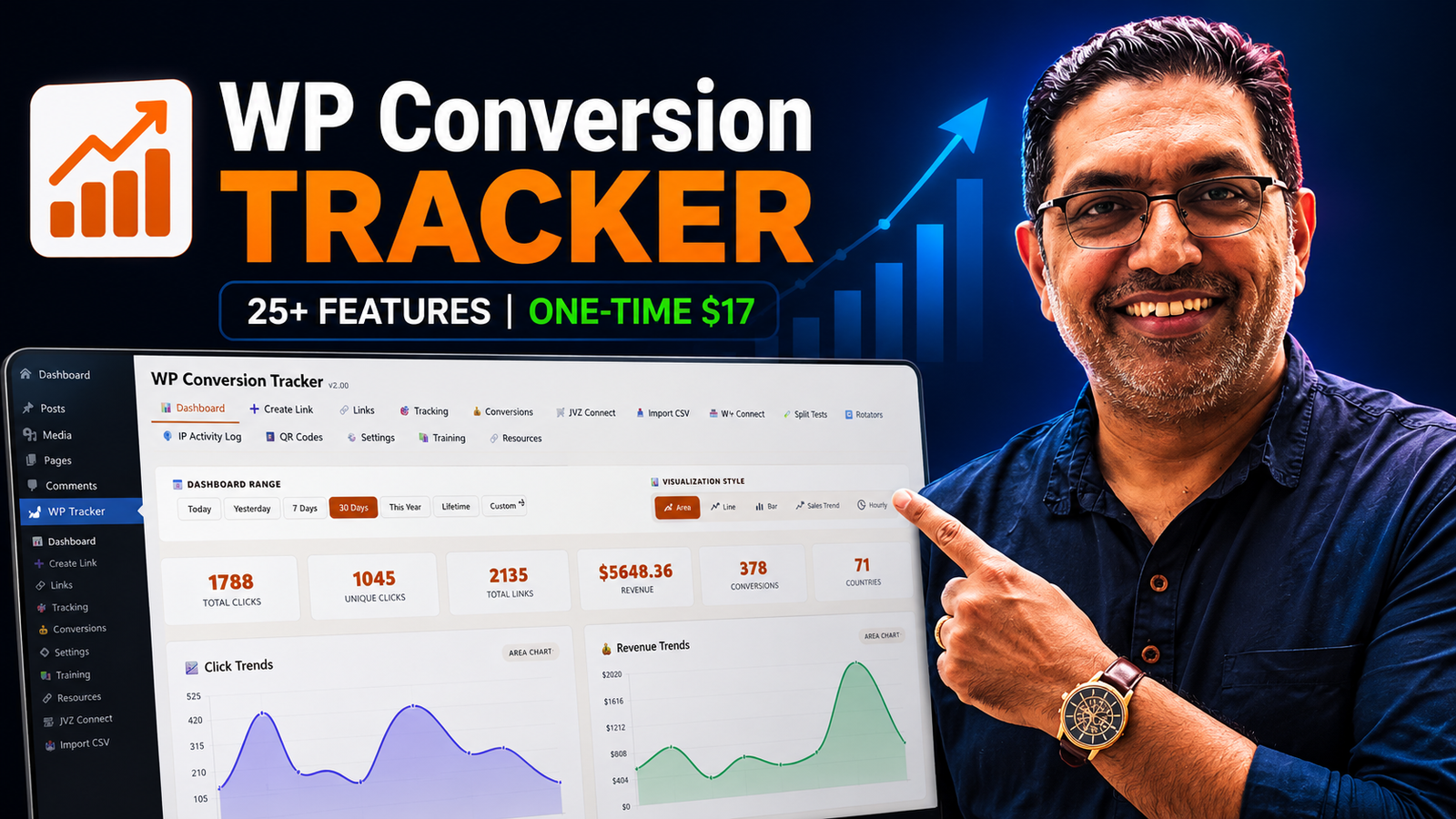
WP Conversion Tracker Review – Overview
| Product | WP Conversion Tracker |
| Front-end price | From $17 |
| Marketplace | WarriorPlus |
WP Conversion Tracker is a WordPress plugin that tracks affiliate link performance, conversion data, and traffic sources, all from inside your existing WordPress dashboard. No separate platform to log into. No monthly SaaS subscription. Your data lives on your own server.
The plugin has been trusted by affiliate marketers since 2010 and has been completely rebuilt for 2026. The 2026 version is not a cosmetic update. It adds split testing, link rotation, JVZoo and WarriorPlus IPN integration, QR code generation, a bulk CSV importer, and cross-domain tracking alongside the core tracking features the original was known for.
Twenty-five features. Seventeen dollars. One time. No monthly fee. Ever. That combination is unusual enough in a market where tracking tools charge $40 to $150 per month that it deserves a proper look.
Watch my full video review above or keep reading for the written breakdown.
WP Conversion Tracker – Key Features
Six Chart Modes with Hourly Heatmaps
Most tracking tools show you daily click totals. WP Conversion Tracker shows you click trends, revenue trends, top countries, top devices, hour-of-day breakdowns, and day-of-week patterns. You can see not just how many clicks your link gets, but when.
First-Click and Last-Click Attribution
These two attribution models answer different questions. First-click tells you where someone originally discovered your offer. Last-click tells you what finally convinced them to buy. Having both in the same dashboard gives you a complete picture of your buyer journey.
Revenue Attribution Per Link
Clicks are easy to track. Revenue attribution is where most cheap tracking tools fall short. WP Conversion Tracker attaches revenue data to individual links so you can see which specific link is actually making you money, not just sending traffic.
JVZoo and WarriorPlus IPN Integration
For anyone promoting products on JVZoo or WarriorPlus, this is the most important feature on the list. One-click IPN integration auto-imports buyers, tracks affiliate sales, and syncs everything automatically. ClickBank, ThriveCart, SamCart, and PayKickstart postbacks are also supported.
A/B Split Testing with Custom Weights
Test two destinations against each other, a landing page against a direct sales page, for example, and see which one wins by revenue, not just by clicks. You can also set custom traffic weights rather than a straight 50/50 split.
Link Rotation and Sub-ID Tracking
Round-robin, sequential, and weighted rotation options let you spread traffic across multiple destinations automatically. Sub-ID tracking lets you tag each link with a source identifier and see exactly where each click originated.
QR Codes, Bulk CSV Import, IP and Bot Blocking
Generate a branded QR code for any tracked link to track offline sources. Upload hundreds of links at once with column mapping and preview before import. Block bad IPs and bot traffic in one click to keep your conversion data clean.
Link Cloaking
Clean, branded URLs that protect your affiliate commissions and look professional in email and social content. Instead of a long affiliate URL, your links look like yourdomain.com/get/product.
Pricing
The front-end (Option A) is $17, giving you the core plugin with all 25 features and a five-domain licence.
Option B is a $67 bundle that includes the core plugin, the PRO add-on (split testing, link rotation, IP intelligence), the WCT Link Importer, and Reseller rights in one click. According to Kevin Fahey, 95% of buyers choose this option. The per-feature price at $67 for the full bundle is still exceptional value compared to any SaaS alternative.
Further add-ons include developer licences for agencies managing client sites (25 sites at $197, 50 sites at $297, 100 sites at $497) and a WCT Audience Builder OTO at $47 that adds visitor identity intelligence and cross-domain audience tracking. For most affiliate marketers, Option A or the $67 bundle covers everything you will need.
Who Is This For?
- Affiliate marketers on WordPress with no tracking in place. If you are promoting products on JVZoo, WarriorPlus, or ClickBank and you genuinely do not know which traffic source is converting, this solves that problem immediately and permanently. The JVZoo and WarriorPlus IPN integration alone is worth the front-end price.
- Marketers paying monthly for SaaS tracking tools. If you are spending $40 to $150 per month on a tracking platform, this is a one-time replacement that covers the fundamentals without ongoing cost.
- Beginners building their first campaign infrastructure. The interface is inside WordPress, which most affiliate marketers are already using. There is no new dashboard to learn.
- Freelancers and agencies managing multiple client sites. The developer licence options let you install the plugin across 25, 50, or 100 client sites with one licence key.
This is not the right tool if your site is not built on WordPress. The plugin is WordPress-only. If you are running campaigns from a Shopify store, a custom site, or a funnel builder that does not run on WordPress, you will need a different solution.
WP Conversion Tracker vs. ClickMagick
ClickMagick is the most widely referenced standalone tracking tool in the affiliate marketing space. The comparison is worth making directly.
ClickMagick costs between $69 and $149 per month depending on the plan. WP Conversion Tracker is $17 one-time, or $67 for the full bundle. Over twelve months, ClickMagick costs $828 to $1,788. WP Conversion Tracker costs $17 or $67, total, forever.
ClickMagick operates as a standalone platform with its own dashboard. WP Conversion Tracker lives inside your WordPress admin, no extra login, no switching between platforms, no data leaving your server. ClickMagick has a longer track record, stronger support for solo ad tracking, and more advanced funnel analytics for high-volume campaigns.
The honest recommendation: if you are just starting out or running a mid-level affiliate operation, WP Conversion Tracker at $17 is the obvious choice. If you are running a scaling agency with multi-channel paid traffic and need enterprise-level reporting, ClickMagick earns its monthly fee.
Pros and Cons
Pros
- 25 features at $17 one-time, in a market where comparable functionality costs $40 to $150 per month
- JVZoo and WarriorPlus IPN integration is baked into the front-end, a significant practical advantage over competing tools
- Self-hosting your tracking data matters: it sits on your own server, not a third-party platform
- A 16-year track record with a complete 2026 rebuild, not a brand-new tool with no history
- Split testing and link rotation at this price point is unusual; these features typically sit behind paid tiers on SaaS tools
Cons
- WordPress-only: if any of your campaign infrastructure runs outside WordPress, this plugin does not apply to those assets
- For high-volume campaigns running thousands of clicks per day across multiple paid traffic channels, the platform's focus on fundamentals becomes a ceiling
- Some of the more advanced features, the PRO split testing add-on, the Link Importer, the audience builder, require the $67 bundle or additional upgrades
For the price point, these trade-offs are reasonable, but they are real limitations worth knowing before you buy.
My Verdict
WP Conversion Tracker is the most straightforward recommendation in this roundup. At $17 one-time with no monthly fee, 25 features including JVZoo and WarriorPlus IPN integration, and a 16-year track record rebuilt for 2026, the value case is clear.
If you are an affiliate marketer on WordPress and you do not have a proper tracking system in place, this is the most cost-effective way to fix that today. If you are paying monthly for a SaaS tracker and most of your campaigns run through WordPress, this is worth switching to.
The $67 bundle is where 95% of buyers land, and that is the version I would recommend. The PRO add-on and Link Importer add real utility at a price that still makes sense compared to any monthly alternative.