EverPitch Review: The Real Pricing Math and Who Should Skip This Webinar Builder

EverPitch Review – Overview
| Product | EverPitch |
| Vendor | Todd Gross (Team Todd), with LuAnn Beckman, Dinesh Taunk and Oliver Goodwin |
| Launch date | November 16, 2026 |
| Front-end price | $37 one time |
| Marketplace | JVZoo |
| Refund policy | 30-day money-back guarantee |
This EverPitch review covers what the webinar builder actually does, what you really pay once the free credits run out, and exactly who should skip it. EverPitch turns a topic, a document, a link, or an old Zoom recording into a finished webinar, complete with a script, a slide deck and a spoken voice track, and the finished webinar can run itself every day and answer live questions out loud. It comes from Todd Gross and the Team Todd group, it launches on JVZoo on November 16, 2026, and the front end costs $37 one time.
Watch my full video review above or keep reading for the written breakdown.
What Is EverPitch?
EverPitch builds a complete webinar out of whatever you already have. Feed it a one-line idea, a PDF, a link to a sales page, or an old recorded Zoom call, and it writes the script, designs a slide deck from one of 73 layouts across 11 visual styles, and narrates the whole thing in one of 30 AI voices across 87 languages. Once that webinar is built, it does not need you in the room. It presents itself on a schedule you set, and when a viewer types a question, it answers out loud, by name, using only what is actually loaded inside that specific webinar.
That last part is worth being direct about. The webinar that runs every day on autopilot is not a real-time live event with a host standing by. It is a scheduled, automated replay of a recording that EverPitch generated, and the Q&A that feels live is the same automated system answering from its own script and slides, not a person watching the chat. EverPitch also offers an optional simulated audience, a feature that makes the room feel more active, and it is disclosed on screen whenever it is switched on, rather than presented as real viewers who are not actually there.
About the Vendor
EverPitch comes from Todd Gross, who has built and sold software on JVZoo and WarriorPlus for years under the name Your Green Screen Guy, working alongside LuAnn Beckman, Dinesh Taunk, and Oliver Goodwin as Team Todd. Recent releases from the same team include Vidko, an AI video generation platform from March 2025, OhSoReal, a tool that turns scripts into avatar-led social videos from June 2025, and VidHostPro, a video hosting platform from 2023. Team Todd also runs its own webinars to sell its software, and one of those events pulled in 340 attendees and 218 product sales in a single sitting. That is a result from their own business, not a promise about what your webinar will do, but it does say the team behind EverPitch has actually run the kind of presentation this tool is built to automate.
Key Features and Benefits
Builds From Whatever You Already Have
A one-line idea, a PDF, a sales page link, or an old recording turns into a finished webinar, script and all, without you writing a word or filming yourself.
Live Q&A That Answers Out Loud, By Name
When someone watching types a question, EverPitch answers it out loud and by name, using only what is loaded into that specific webinar. It is the one piece here that most webinar tools in this space do not do.
73 Slide Layouts, 30 Voices, 87 Languages
The deck comes from 73 layouts across 11 visual styles, and the narration can run in any of 30 natural-sounding voices across 87 languages, including ones you do not speak yourself.
The Funnel Is Already Built In
Registration pages, reminder emails, a replay page, and checkout through your own Stripe or PayPal account all come with the webinar, so there is no separate page builder to wire up.
How Does EverPitch Work?
Step 1: Give EverPitch a starting point: a topic, a document, a link, or an old recording. It uses that as the source for the whole webinar.
Step 2: It writes the script, builds the slide deck from one of its 73 layouts, and generates the voice narration. You review it and edit any slide just by typing what you want changed.
Step 3: The finished webinar goes live on the schedule you set, presents itself automatically, and answers viewer questions out loud using only what is in that webinar, while the built-in registration, reminder, and replay pages handle the rest of the funnel.
Who Is This For?
- Coaches and consultants who already know their material but have never turned it into a webinar because writing the script and designing slides felt like a second job.
- Course creators who want a webinar funnel built around a course that already exists, instead of starting a funnel from scratch.
- Content creators and agencies sitting on an old recorded presentation or Zoom call that could be turned into something that actually sells, or who want a standing presentation that answers prospect questions without a live call every time.
EverPitch is not for anyone who wants a fully custom, hand-designed presentation with a one-of-a-kind visual identity. The 73 layouts are polished, but they are templated, not bespoke. It is also not a stand-in for a real live expert fielding unscripted, complex questions. The Q&A only answers from what is loaded into that specific webinar, so it has no room to improvise past that material, and anyone who needs that kind of live, unscripted depth should plan to still show up in person for it.
Pricing and Funnel Breakdown
EverPitch's front end is a single payment, but the upgrade path has real range. Here is every piece of it, in order.
- Front End: $37 one time, Commercial License. Includes the Commercial License and 3,000 credits a month, with no separate monthly software fee on top of the one-time price.
- OTO 1: $77/year, Credit Boost (order bump). Raises the monthly credit allowance to 8,000 credits a month. Worth it only once 3,000 credits a month genuinely runs out, which depends on how many webinars you build and how long they run.
- OTO 2: $67 one time, DFY Webinars. Drops 10 finished, already-voiced webinars straight into your account. A shortcut for anyone who wants ready-made webinars instead of building from scratch, and skippable otherwise.
- OTO 3: $47 one time, Kit Vault. Adds 24 ready-made webinar kits across different topics and structures. Useful for speed, skippable if you already know exactly what you want to present.
- OTO 4: $77 one time, Agency. Adds a client license and removes the "Powered by EverPitch" branding. Only needed if you plan to build webinars for clients or want full white-label branding.
- OTO 5: $97/year, Ultra. Unlocks premium AI features plus streaming. Only matters once the standard AI quality or the lack of streaming becomes a real limit for you.
- Bundle (alternate entry path): $197 rising to $227 one time. Bundles Commercial, DFY Webinars, Kit Vault, and Agency together with 8,000 credits a month in a single checkout. Worth it only if you want all four pieces up front; otherwise the $37 front end plus upgrades as you actually need them costs less to start.
- MegaBundle Gold / Platinum: $197/year or $347/year. Gold adds 10,000 credits a month plus Ultra. Platinum adds 25,000 credits a month, Ultra, and 50 reseller accounts. Built for heavy users or anyone planning to resell access, not for one person running their own webinars.
Here is the plain math worth knowing before you buy. The $37 front end includes 3,000 credits a month and nothing else to pay monthly, which is genuinely a low entry price. But if you are running more than a couple of webinars with the live Q&A actually answering questions every day, 3,000 monthly credits can run out faster than that headline number suggests, and that is exactly the gap Credit Boost and the higher tiers exist to close. So the honest way to budget this is $37 to get in, then expect Credit Boost's $77 a year as a likely second purchase once you are actually using it, rather than assuming the one-time price is the whole story.
Pros and Cons
Pros
- Builds a full webinar, script and slides and voice, from a topic, a document, a link, or an old recording, with no writing or filming required.
- The live Q&A answers out loud and by name from the material loaded into that webinar, which is the real differentiator against tools that stop at the slide deck.
- Registration, reminders, replay, and checkout are built in, so there is no separate funnel tool to connect.
- 73 layouts, 30 voices, and 87 languages give real range for different topics and audiences.
Cons
- The webinar that runs "every day on autopilot" is a scheduled, automated replay, not a real-time live event, and buyers expecting an actual live room should know that going in.
- The monthly credit system means the real cost of running this at scale sits above the $37 headline once you need Credit Boost or a higher tier.
- The Q&A can only answer from what is loaded into that specific webinar, so it cannot improvise on complex questions outside that material.
Bonuses
Buying EverPitch through the link on this page also gets you these five bonuses, free. They unlock automatically and instantly on the order confirmation page, no receipt to send and no waiting.
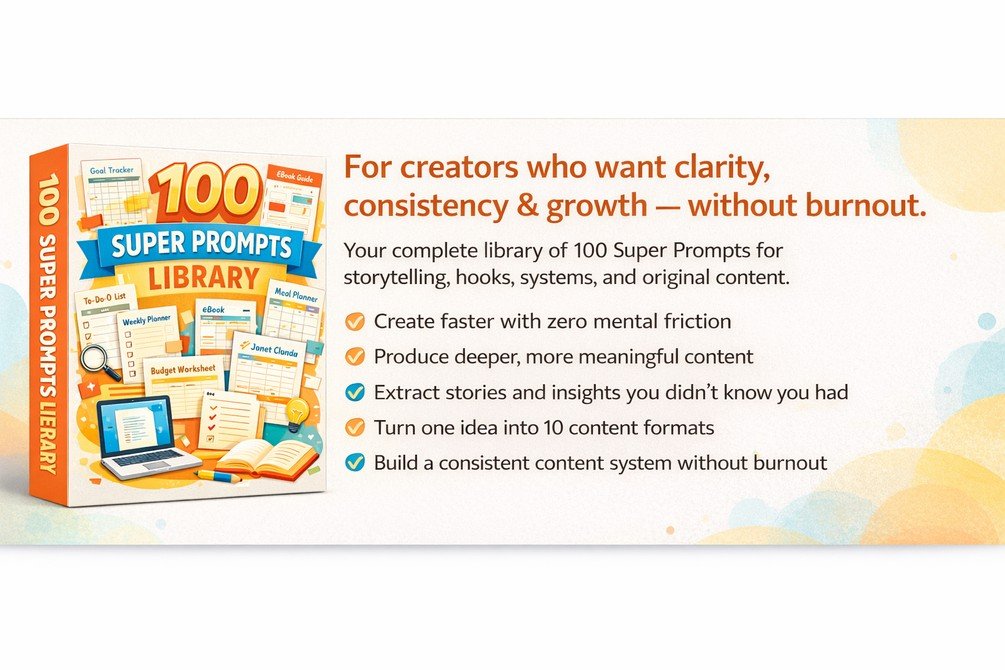
Creator's Super Prompt Library
100+ ready-made AI prompts for captions, descriptions, and promo copy. The moment a finished webinar needs promoting elsewhere, a launch email, a social post inviting people to register, or follow-up copy for anyone who watched and did not buy, this gives you the starting line instead of a blank page.

Lead Generation Mastery
A full training on generating and converting leads. EverPitch builds the presentation and the registration funnel, but turning the people who show up into leads worth following up with is a separate skill, and this covers it.

Sales Letter Anatomy
A short guide to the hybrid long-form sales letter structure and why it converts better than a plain pitch. Every webinar ends in an offer, and EverPitch writes the script but not the persuasive shape behind the close. This gives you a proven structure to build that close around.

Sales Funnel Authority
A course on the steps that turn funnel leads into high-ticket customers. EverPitch's built-in funnel handles registration, reminders, and replay, but what happens after someone watches and does not buy right away is left to you, and this fills that gap.
Webinar Topic to Script in 10 Minutes
A quick-start guide for the one step EverPitch cannot do for you: deciding what the webinar should actually be about before you feed it in. It walks through how to pick a topic worth a full presentation, a simple five-part outline to fill in first, and three worked examples, a coach, a course creator, and a service provider, so your first webinar is a strong one instead of a vague one.
How to Claim Your Bonuses
– Purchase EverPitch through the link on this page.
Get EverPitch Here– Your bonuses unlock automatically and instantly, right on the order confirmation page. No receipt to send, no waiting.
Questions about your bonuses? Reply to any email from the checkout and we will help you out.
Frequently Asked Questions
Is EverPitch's daily webinar actually live?
No, and it is worth being clear about that upfront. The webinar that runs every day on its own schedule is a scheduled, automated replay of a recording EverPitch generated, not a real-time live event with someone standing by. The Q&A that answers questions out loud is the same automated system working from the script and slides already loaded into that webinar.
What is the simulated audience feature?
It is an optional setting that makes the room feel livelier when you turn it on. It is disclosed on screen whenever it is active, so viewers know it is there rather than being led to believe real people are watching alongside them.
How much does EverPitch really cost if I use it a lot?
The front end is $37 one time with 3,000 credits a month included. That covers casual use fine, but running several active webinars with live Q&A every day can use up 3,000 credits faster than the headline price suggests, which is why Credit Boost, at $77 a year for 8,000 credits a month, exists as the realistic next purchase for anyone using this seriously.
Who made EverPitch?
Todd Gross, known in the JVZoo and WarriorPlus marketplaces as Your Green Screen Guy, built it alongside LuAnn Beckman, Dinesh Taunk, and Oliver Goodwin as Team Todd. The same team has previously released Vidko, OhSoReal, and VidHostPro.
Is there a refund if EverPitch does not work for me?
Yes. It carries a 30-day money-back guarantee that covers every part of the product.
Can the live Q&A handle questions outside what I loaded into the webinar?
No. It only answers from the material inside that specific webinar, so it cannot improvise past that on a complex or unscripted question. For that kind of depth, you would still need to show up yourself.
Do I need a separate page builder or email tool to run a webinar funnel?
No. Registration pages, reminder emails, a replay page, and checkout through your own Stripe or PayPal account are already built into EverPitch, so there is nothing extra to connect for the funnel itself.
Can I build a webinar from a recording I already have?
Yes. EverPitch can turn an old Zoom recording, a document, or a link into a finished webinar, the same way it can build one from a one-line topic idea.
My Rating
| Vendor reputation | 4.5/5 |
| Features and functionality | 4.0/5 |
| Ease of use | 4.3/5 |
| Value for money | 3.8/5 |
| Overall | 4.0/5 |
The score lands at 4.0 out of 5. Vendor reputation is the strongest category here, since Team Todd has an actual multi-year track record of shipping and supporting software in this marketplace. Value for money is the one that pulls the average down slightly, not because $37 is a bad price, but because the real cost of running this at scale is higher than that single number once Credit Boost enters the picture.
Our Verdict
EverPitch is worth it for the exact buyer it is built for: someone who already knows their material and has been putting off turning it into a webinar because the script, the slides, and the voice felt like a project on their own. It builds all three in one pass, and the live-sounding Q&A is a real, working difference from tools that stop at the slide deck. Go in knowing the daily "live" room is actually a scheduled replay, and knowing that credits are the real lever on cost once you are running this seriously, and the $37 front end is a genuinely low bar to find out whether it fits how you sell. I recommend it for that buyer, and the 30-day guarantee means finding out costs you nothing but the time to try it.