Channel Builder AI Review: Can This Tool Really Automate Faceless YouTube Channels?
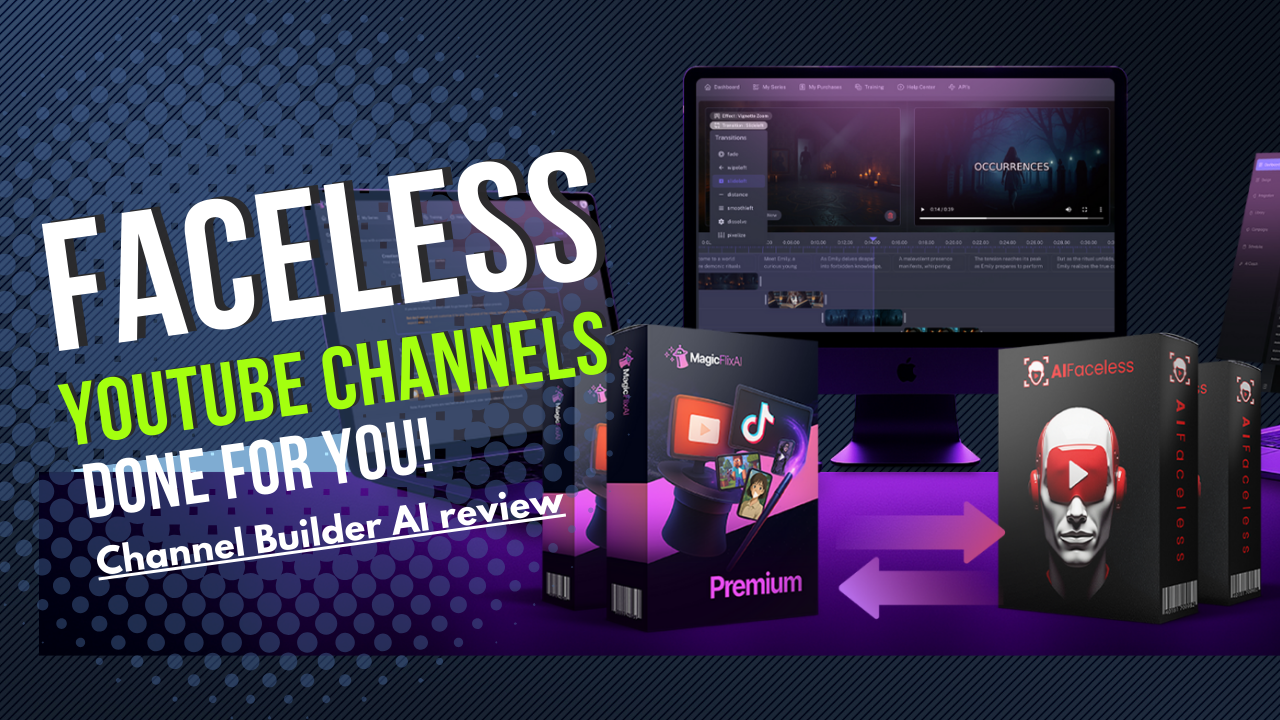
| Product | Channel Builder AI |
| Price | From $37 |
| Marketplace | JVZoo |
Over the last few years, AI video creation tools have exploded. Automatic script writers, voiceover generators, slideshow builders: it feels like every week there's a new app promising to help you create content faster.
But most of them barely scratch the surface. They might help you create one video, maybe five if you push it, but they don't help you build a real, sustainable, faceless channel that grows, ranks, and actually makes money. You still have to come up with story ideas manually, edit videos slide by slide, upload and optimize them one at a time, and the results often feel generic and repetitive.
That is the exact problem Channel Builder AI is trying to solve. In this review, I'm covering how the tool works, what it actually includes, and whether it holds up as a genuine system for building faceless YouTube and TikTok channels rather than just another one-off video generator.
What Is ChannelBuilder AI?
ChannelBuilder AI is a two-in-one AI app suite built specifically to create, automate, and grow faceless story-based channels on platforms like YouTube and TikTok. It is not designed for making the occasional video; it is built around helping you run full branded, niche channels, hands-free if you want them to be.
The suite includes two core components: MagicFlix AI and Faceless Reels AI.
MagicFlix AI
MagicFlix AI focuses on longer-form, story-driven videos suited to YouTube faceless channels. It combines AI-written story scripts based on your niche or prompts, realistic AI voiceovers in multiple languages, AI-generated visuals in styles like Pixar, Disney Toon, Anime, and Realism, a drag-and-drop timeline editor, automatic scheduling and publishing to YouTube, and built-in SEO tools covering keyword suggestions, trending topic research, and thumbnail generation.
In practice, MagicFlix AI is meant to function like a full YouTube content team: scriptwriter, voiceover artist, video editor, and SEO researcher rolled into one dashboard.
Faceless Reels AI
Faceless Reels AI is built for short-form vertical video: TikTok, YouTube Shorts, and Instagram Reels. It generates quick, story-driven vertical videos, creates reels based on trending niches and hashtags, adds auto-generated captions, transitions, and effects, schedules and publishes short videos automatically, and optimizes for discovery with hashtag and title suggestions.
Both tools sit under a single dashboard, so you can manage long-form and short-form content from the same place rather than juggling separate apps for YouTube and TikTok.
Key Features and Benefits
ChannelBuilder AI packs in more than a typical AI video generator. Here is what stood out and what each piece actually does for you.
Fully Faceless Channel Creation
You never have to appear on camera, record your own voice, or brainstorm daily video ideas manually. The suite handles storytelling, voiceovers, visuals, editing, and uploading, which matters most if you are camera-shy, busy, or trying to run more than one channel.
True Automation, Not Just Export
Most video tools stop once you export a file. ChannelBuilder AI schedules, uploads, and optimizes automatically, which is what actually keeps a channel posting consistently instead of stalling after a few uploads.
Built-In SEO Tools
The suite includes trending topic discovery, longtail keyword suggestions, auto-generated titles and descriptions, and thumbnail creation aimed at higher click-through rates. Good videos that nobody finds are wasted effort, so this piece matters more than it looks.
Manual Mode for Creative Control
Alongside full automatic mode, a manual mode lets you edit scripts, adjust slide timing and transitions, change voice styles, and pick different art styles. You keep creative control without needing prior video editing skills.
Built for Scaling Multiple Channels
Because creation and publishing can both run on autopilot, you are not limited to one channel. Testing several niches or formats across five, ten, or more channels becomes realistic instead of a manual grind.
Commercial Rights Included
Commercial rights let you offer faceless channel creation, story-based video packages, or full YouTube channel management as a service to clients, without recording a single video yourself.
How Does ChannelBuilder AI Work?
Say you want to start a horror story channel. Here is roughly how the process plays out.
Step 1: Choose the horror theme from the dashboard and let the AI generate a story, or input your own script and topic.
Step 2: Select a dark, moody art style and a dramatic narrator voice, then fine-tune the result using the drag-and-drop editor if you want more control.
Step 3: Set your upload schedule. The video is posted automatically, and the built-in SEO tool handles keywords, thumbnails, and hashtags on your behalf.
In under 30 minutes, your first video is live and the channel is running. Every additional video follows the same loop.
Who Is ChannelBuilder AI Perfect For?
- Content creators who want to launch multiple faceless channels without hiring a production team.
- Agency owners and freelancers who want to offer faceless channel creation or story-video packages as a service.
- Aspiring YouTubers with limited camera confidence or video editing experience.
- Educators and coaches who want to turn written material into engaging video content.
If you are looking for a tool that hands you finished, ranking channels with zero input at all, this is not that. You still need to pick a niche, review the AI's output, and apply some judgment on storytelling and pacing. The tool removes the production bottleneck, not the strategy.
Pros and Cons
Based on hands-on testing and the vendor's own review breakdown, here is where the tool earns its marks and where it falls short.
Pros
- Automation works smoothly, especially scheduling and publishing
- Voiceovers are surprisingly natural rather than robotic
- AI-generated visuals look distinct, not like recycled stock footage
- Beginner-friendly despite the depth of features
- Commercial rights included, opening a real service-based income angle
Cons
- There is an initial learning curve if you have never used a video editor before
- Mobile responsiveness is limited; this is best run on desktop
- Voice syncing can require manual adjustment on more complex scripts
None of these are deal-breakers for the price point, but they are real limitations worth knowing before you commit a niche and a schedule to the tool.
My Rating
These scores reflect the vendor's own published review breakdown, which lines up closely with what I saw testing the platform.
| Features and functionality | 4.5/5 |
| Ease of use | 5/5 |
| Look and feel | 4.5/5 |
| Price | 4.3/5 |
| Overall | 4.6/5 |
The ease-of-use score is the standout here. For a tool that touches scripting, voiceover, visuals, and publishing all at once, ChannelBuilder AI stays approachable, and that is the harder problem to solve than any single feature on its own.
My Verdict
ChannelBuilder AI is one of the more complete, practical tools I have tested for building faceless YouTube and TikTok channels. Most AI video tools stop at helping you make a slideshow. This one covers scripting, voiceover, visuals, publishing, and SEO in a single dashboard, which is a meaningfully bigger scope, and it is genuinely beginner-friendly despite that depth.
If you want to launch passive-income YouTube or TikTok channels without appearing on camera, or you plan to offer faceless video creation as a service using the included commercial rights, this is a strong pick. Bring your own niche research and a bit of storytelling judgment, and ChannelBuilder AI handles the production bottleneck that stops most people from ever starting.
At this price point, with commercial rights bundled in, it is a smart buy for anyone serious about scaling faceless video content.